

Dans le monde concurrentiel des affaires en ligne, une bonne visibilité sur les moteurs de recherche est cruciale pour attirer des clients potentiels vers votre site web. Cependant, de nombreux outils SEO peuvent s’avérer coûteux, surtout pour les petites et moyennes entreprises (PME) ayant un budget limité. Heureusement, il existe des solutions abordables et efficaces pour optimiser votre présence en ligne sans vous ruiner. Découvrons ensemble les outils SEO PME à connaître pour maximiser vos résultats sans trop dépenser.
Contents
Free and open source tools
Commençons par les bonnes nouvelles : il existe de nombreux outils SEO gratuits et open source qui peuvent vous aider à améliorer votre référencement. Parmi les plus populaires, on trouve :
Google Search Console
Google Search Console est un outil gratuit offert par Google qui permet aux webmasters de surveiller et d’optimiser la présence de leurs sites web sur les résultats de recherche de Google. Les principales fonctionnalités incluent :
- Surveillance des performances : Suivez les mots-clés pour lesquels votre site se classe, les impressions, les clics, et le taux de clics (CTR).
- Résolution des problèmes d’indexation : Identifiez et corrigez les problèmes empêchant Google de bien indexer vos pages.
- Soumission de sitemaps : Aidez Google à comprendre la structure de votre site en soumettant un sitemap.
- Alertes de problèmes critiques : Recevez des notifications sur les problèmes de sécurité et autres erreurs techniques.
Ubersuggest
Développé par Neil Patel, Ubersuggest est un outil gratuit qui offre des fonctionnalités de recherche de mots-clés et d’analyse concurrentielle :
- Recherche de mots-clés : Trouvez des mots-clés pertinents avec des données sur le volume de recherche, la difficulté et le coût par clic (CPC).
- Analyse de la concurrence : Obtenez des informations sur les mots-clés utilisés par vos concurrents et découvrez de nouvelles opportunités.
- Suivi des performances : Surveillez l’évolution de vos mots-clés au fil du temps pour ajuster votre stratégie SEO.
Yoast SEO
Yoast SEO est un plugin pour WordPress qui propose des fonctionnalités gratuites pour améliorer le SEO de votre site :
- Analyse de contenu : Fournit des recommandations en temps réel pour optimiser la lisibilité et l’utilisation des mots-clés dans vos articles.
- Création de sitemaps XML : Aide les moteurs de recherche à explorer et indexer votre site plus efficacement.
- Gestion des métadonnées : Simplifie la création de titres et de descriptions SEO.
Rank Math
Rank Math est un autre plugin SEO pour WordPress qui offre une version gratuite avec des fonctionnalités avancées :
- Assistant de configuration : Guide facile pour configurer le SEO de votre site en quelques étapes simples.
- Analyse SEO avancée : Propose une analyse détaillée de vos pages avec des suggestions d’amélioration.
- Optimisation de mots-clés : Permet d’optimiser vos contenus pour plusieurs mots-clés.
- Création de sitemaps XML : Génère automatiquement des sitemaps pour aider les moteurs de recherche à explorer votre site.
- Intégration avec Google Search Console : Affiche les données de Google Search Console directement dans votre tableau de bord WordPress.
Screaming Frog SEO Spider
Screaming Frog SEO Spider est un outil d’analyse de site web qui, dans sa version gratuite, permet d’explorer jusqu’à 500 URL :
- Exploration de site : Simule un robot d’indexation pour identifier les problèmes de SEO technique comme les erreurs 404, les redirections, et les liens cassés.
- Analyse des balises : Examine les balises titres, les descriptions, les balises H1 et H2 pour s’assurer qu’elles sont optimisées.
- Détection des duplications : Identifie le contenu dupliqué qui pourrait nuire à votre classement.
Les outils freemium et les versions d’essai gratuites
Les outils freemium offrent une version gratuite limitée ainsi qu’une version payante plus complète. Bien que les versions gratuites soient limitées, elles peuvent vous donner un aperçu des fonctionnalités et vous aider à décider si l’investissement dans la version payante en vaut la peine.
Semrush

Semrush est un outil complet de marketing digital et SEO qui propose des fonctionnalités étendues dans sa version payante, mais offre également une version d’essai gratuite pendant 7 jours qui peut être très utile pour :
- Rechercher des mots-clés : La version gratuite permet un nombre limité de recherches de mots-clés par jour, fournissant des informations sur le volume de recherche, la difficulté des mots-clés, et les tendances.
- Analyser votre site : Vous pouvez effectuer des audits de site limités pour identifier les problèmes techniques, les erreurs de SEO on-page, et les opportunités d’optimisation.
- Suivre vos positions : Suivez le classement de votre site pour certains mots-clés et analysez les performances de vos pages dans les résultats de recherche.
- Analyser la concurrence : Accédez à une vue d’ensemble des stratégies SEO de vos concurrents, y compris leurs principaux mots-clés et backlinks.
Ahrefs
Ahrefs est un autre outil puissant de SEO qui propose une version freemium offrant des fonctionnalités limitées mais précieuses pour les utilisateurs débutants ou ceux qui souhaitent tester le service avant de s’engager :
- Exploration de backlinks : La version gratuite vous permet de voir un nombre limité de backlinks vers votre site, vous aidant à comprendre le profil de liens de votre site.
- Recherche de mots-clés : Limité à quelques recherches par jour, mais vous fournit des informations essentielles sur les mots-clés, y compris le volume de recherche et la difficulté.
- Analyse de contenu : Découvrez les pages les plus performantes sur des sujets spécifiques et obtenez des idées pour créer du contenu compétitif.
- Suivi des performances SEO : Accédez à des rapports limités sur les performances de votre site en termes de trafic et de classement.
Moz
Moz propose également un modèle freemium avec des fonctionnalités de base gratuites et des options avancées dans sa version payante :
- Explorer de mots-clés : La version gratuite permet un nombre limité de recherches de mots-clés, fournissant des données sur le volume de recherche, la difficulté, et les opportunités de mots-clés.
- Analyse de site : Effectuez des audits de site pour identifier les problèmes techniques et obtenir des recommandations d’amélioration.
- Suivi du classement : Suivez les positions de votre site pour quelques mots-clés et analysez les changements au fil du temps.
- Analyse de backlinks : Accédez à des rapports limités sur les backlinks, y compris les liens entrants et sortants, pour évaluer la force du profil de liens de votre site.
Open Site Explorer
Développé par Moz, Open Site Explorer permet d’analyser les backlinks de votre site et ceux de vos concurrents :
- Analyse des backlinks : Découvrez qui fait des liens vers votre site et évaluez la qualité de ces backlinks.
- Autorité de domaine : Obtenez des scores d’autorité pour évaluer la force SEO de votre site par rapport à vos concurrents.
- Recherche de liens perdus : Identifiez les liens cassés ou perdus afin de pouvoir prendre des mesures pour les récupérer.
Usefulness of Freemium Versions
Les outils freemium comme Semrush, Ahrefs et Moz sont précieux pour plusieurs raisons :
- Découverte des fonctionnalités : Les versions gratuites permettent aux utilisateurs de se familiariser avec les outils et de comprendre comment ils peuvent bénéficier de fonctionnalités avancées.
- Évaluation de l’investissement : En utilisant la version gratuite, les utilisateurs peuvent déterminer si les fonctionnalités supplémentaires des versions payantes valent l’investissement pour leurs besoins spécifiques.
- Support SEO de base : Même avec des limitations, les versions gratuites offrent des fonctionnalités essentielles qui peuvent aider à améliorer le SEO de base, comme la recherche de mots-clés, l’analyse de backlinks, et l’audit de site.
En résumé, bien que les versions freemium soient limitées, elles offrent suffisamment de fonctionnalités pour donner un aperçu des capacités des outils et aider les utilisateurs à décider si une mise à niveau vers la version payante est justifiée. Ces outils sont idéaux pour les petites entreprises, les indépendants, ou ceux qui commencent à se familiariser avec le SEO et veulent explorer les possibilités avant de s’engager financièrement.
Seo pme tool: the group-buy solution for maximising profitability and efficiency
Les group-buy sont une solution attrayante pour accéder à des outils SEO coûteux à moindre coût. Ils permettent aux petites entreprises et aux freelances de bénéficier des mêmes ressources que les grandes agences.
Le principe est simple: plusieurs personnes se regroupent pour acheter un outil SEO populaire et coûteux, comme Ahrefs, Semrush ou Majestic.
En effectuant un achat groupé, ils obtiennent un prix très réduit par rapport au prix de vente normal, grâce à l’effet de volume.Cependant, il est important de peser les avantages contre les risques éthiques et de sécurité, et de participer à des group-buy organisés par des communautés de confiance pour minimiser les problèmes potentiels.
Advantages of Group-Buy
- Réduction des coûts : Le principal avantage des group-buy est la réduction significative des coûts. Les outils SEO haut de gamme comme Ahrefs, Semrush, et Majestic peuvent être très onéreux, mais en partageant les frais avec d’autres utilisateurs, chacun peut accéder à ces outils pour une fraction du prix.
- Accès aux outils premium : Les achats groupés permettent à des entreprises de taille modeste, des freelances, et des petites agences d’accéder à des outils qu’ils ne pourraient pas se permettre autrement.
- Communauté et réseautage : Participer à des group-buy via des communautés SEO peut également offrir des opportunités de réseautage et de collaboration avec d’autres professionnels du domaine.
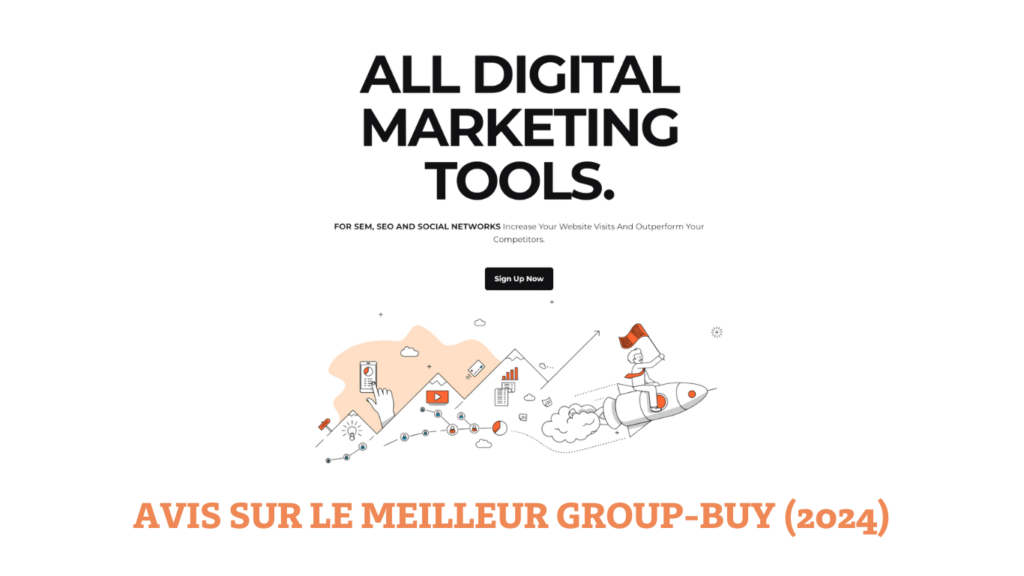
Le group-buy le plus intéressant en 2024 est Rankerfox. Vous pouvez retrouvez dans this article toutes les informations importances à savoir avant de souscrire.
Les extensions de navigateur
Les extensions de navigateur sont des outils pratiques et souvent gratuits qui peuvent grandement faciliter le travail des professionnels du SEO. Voici quelques-unes des extensions les plus populaires et utiles :
SEOquake
SEOquake est une extension multifonctionnelle disponible pour Chrome, Firefox, Opera et Edge. Elle fournit une variété d’informations SEO en un seul clic :
- Audit SEO complet : Analyse les métriques essentielles de SEO pour une page web, y compris les balises de titre, les méta-descriptions, les en-têtes et les densités de mots-clés.
- Analyse de SERP : Affiche des données SEO directement sur les pages de résultats des moteurs de recherche (SERP), permettant de comparer plusieurs résultats en même temps.
- Rapports détaillés : Génère des rapports détaillés sur les backlinks, les réseaux sociaux et bien plus encore.
- Exportation des données : Permet d’exporter les résultats de l’analyse en CSV pour une analyse plus approfondie.

Ahrefs SEO Toolbar
Ahrefs SEO Toolbar est une extension pour Chrome et Firefox qui offre des fonctionnalités avancées de SEO et d’analyse :
- Métriques de site : Affiche des métriques essentielles comme l’autorité du domaine (Domain Rating), le nombre de backlinks et le trafic organique estimé.
- Audit de page : Permet de vérifier les balises on-page, les redirections et les attributs nofollow.
- Aperçu des backlinks : Montre les principaux backlinks de la page que vous visitez, facilitant ainsi l’analyse des profils de liens.
- Analyse SERP : Offre des données SEO directement dans les résultats de recherche pour une comparaison rapide des performances des sites concurrents.
MozBar
MozBar est une extension SEO gratuite pour Chrome qui propose des fonctionnalités utiles pour l’analyse SEO :
- Métriques instantanées : Affiche des métriques clés de Moz, telles que l’autorité de la page (Page Authority) et l’autorité du domaine (Domain Authority) directement dans votre navigateur.
- Comparaison sur SERP : Compare les métriques SEO des pages dans les résultats de recherche de Google.
- Analyse de page : Examine les éléments on-page, y compris les balises de titre, les descriptions, les en-têtes et le texte alternatif des images.
- Recherche de mots-clés : Permet de voir rapidement les mots-clés pour lesquels une page se classe et leur volume de recherche estimé.
Optimiser votre présence en ligne ne nécessite pas forcément un budget important. En explorant diverses ressources telles que les outils gratuits, les versions freemium, les group-buy et les extensions de navigateur, vous pouvez maximiser vos résultats SEO tout en contrôlant vos dépenses. Ces outils offrent des fonctionnalités robustes qui peuvent satisfaire les besoins de nombreux professionnels du SEO, que vous soyez un freelance, une petite entreprise ou une agence en pleine croissance.
 English (UK)
  Français
  Español
  Português
  Italiano
  Deutsch
  Nederlands